Video to Scrollsequence
The Video to Scrollsequence tool allows you to convert a video into a series of images that can be used in the Canvas 2D block for scroll-driven animations.
How to access the Video to Scrollsequence tool
- Open the WordPress block editor.
- Add a Canvas 2D block to your page or post.
- In the Canvas 2D block controls panel, click on Media Tools icon.
- Select the Video to Scrollsequence tool from the Media Tools menu.
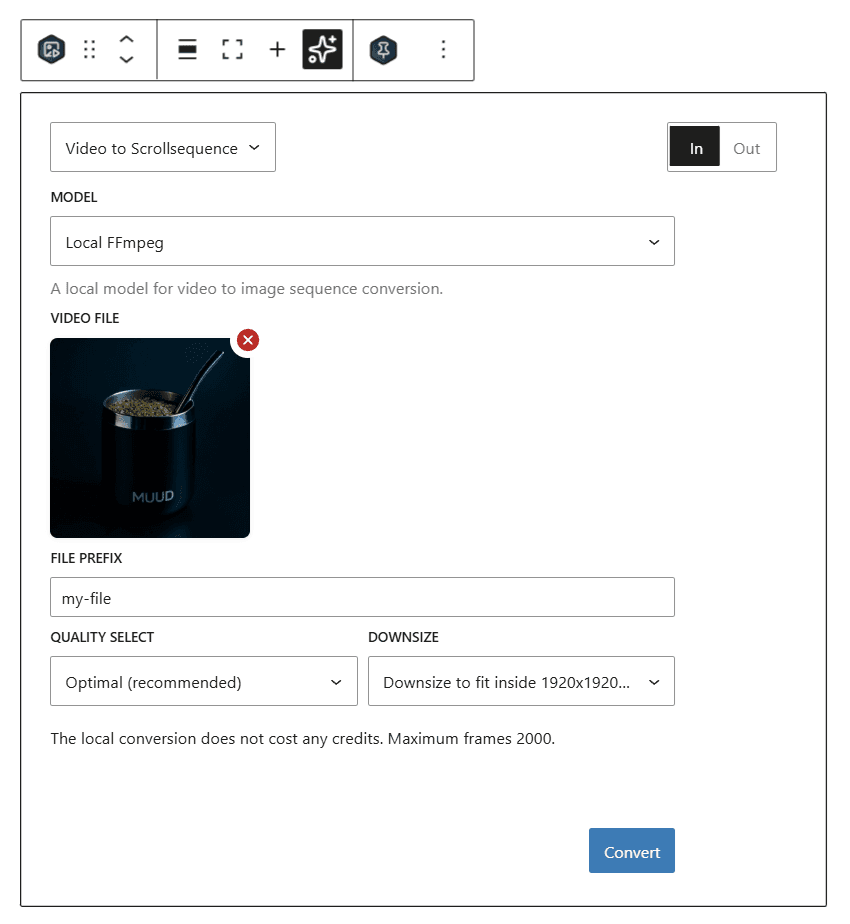
How to use Video to Scrollsequence tool
- Upload a video file that you want to convert into an image sequence.
- Adjust the settings such as:
- File Prefix: Specify the prefix for the extracted image files.
- Quality Selection: Choose the quality of the extracted images.
- Video Resolution: Choose the resolution for the extracted images.
- Click on the Convert button to start the conversion process.
- Once the conversion is complete, the extracted image sequence will be available for use in the Canvas 2D block.
Data Output
After processing, the tool will upload the images to wp-content/uploads/scrollsequence/{id}-{prefix}/%0d.{ext} and provide a JSON output containing the following data:
- id: Unique identifier for the image sequence.
- prefix: The file prefix used for the extracted images.
- ext: The file extension of the extracted images (e.g., jpg, png).
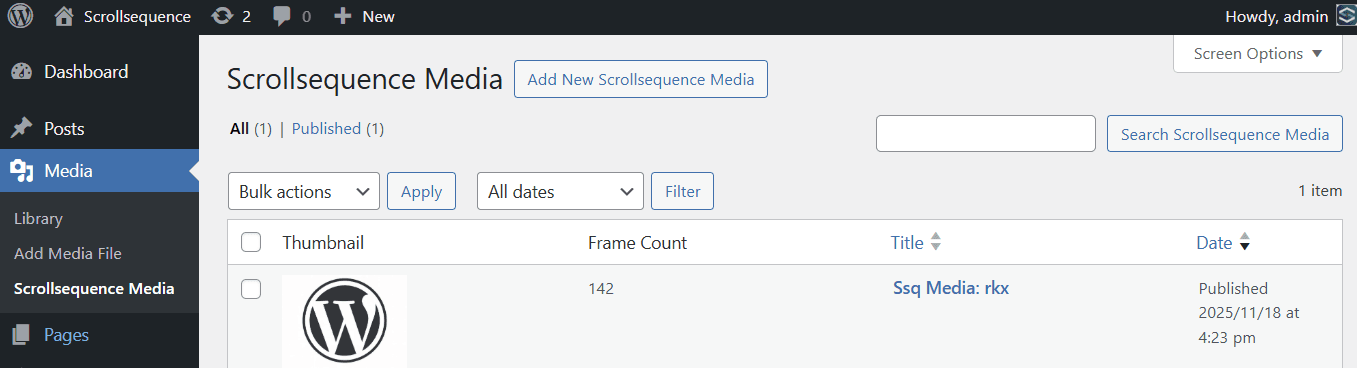
Each conversion will create a ssq-media custom post type entry in WordPress, which can be managed from the admin dashboard.
Next Steps
After generating your image sequence, you can add it to the Canvas 2D block in Scrollsequence v2 to create scroll-driven animations.
Last updated on